
Description
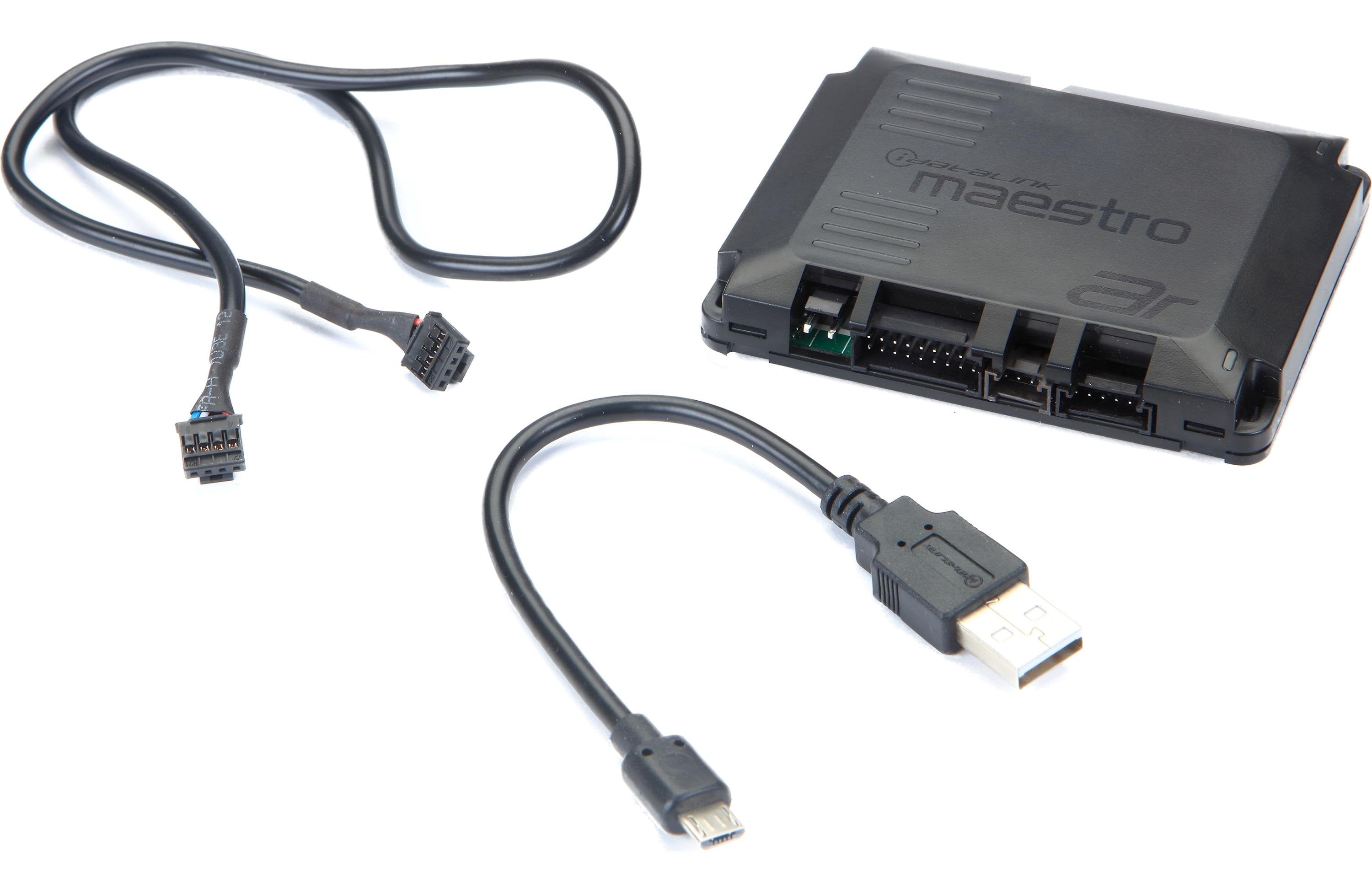
iDatalink Maestro AR Amplifier Replacement Module
Keeping the factory radio is easy. Getting the factory amplifier out of the way without losing the vehicle integration is the part that matters.
On a premium factory system, the OEM amplifier is usually doing far more than making power. It may be tied into volume, fade, balance, warning chimes and other vehicle functions while also applying its own EQ, crossover and channel processing. If we simply take speaker-level signal after that amplifier, every new DSP and amplifier we add is starting downstream of processing we never asked for.
Maestro AR gives us a cleaner place to take control. In a supported vehicle, the module works with the correct HRN-AR harness to replace the factory-amplifier integration point and pass the factory radio’s audio and control information directly to a compatible iDatalink-ready DSP or amplifier. The factory radio stays. Supported factory functions stay integrated. The new processor gets a much better signal path to build the system around.
Where AR Really Earns Its Place
The original Maestro AR makes the most sense when the rest of the system is already built around a compatible Maestro-ready processor or DSP amplifier. Instead of summing factory speaker channels, flattening factory EQ and trying to undo crossover decisions after the fact, the vehicle side and the DSP side are allowed to do their own jobs.
That is exactly where something like an ARC Audio Falcon or Blackbird can make sense in a supported application. Maestro handles the vehicle communication and the ARC processor handles the audio system—crossover, time alignment, EQ, phase, level and output routing. The factory amplifier is no longer dictating how the aftermarket system has to behave.
The vehicle-specific harness matters just as much as the module. It connects at the factory-amplifier wiring and, where the application allows it, lets us reuse the vehicle’s original speaker circuits without cutting the OEM amplifier harness or automatically running new speaker wire through the entire vehicle.
AR vs. AR2 vs. DSR1 vs. A2B
Maestro AR is the clean choice when the supported vehicle and the downstream DSP or amplifier are both designed around the original Maestro AR serial-data workflow.
Maestro AR2 is the more flexible path when the vehicle is supported but the downstream equipment needs conventional analog RCA or TOSLINK output instead of relying only on a direct Maestro-compatible data connection.
DSR1 makes sense when the Rockford Fosgate/iDatalink processor itself is going to be the DSP. It combines vehicle integration and an eight-output DSP in one piece instead of handing the tuning job to a separate processor.
Maestro A2B is for supported vehicles using the newer Automotive Audio Bus digital factory-audio architecture. It is a different integration path, not simply AR with a different harness.
The Vehicle, Harness and DSP Have to Match
Maestro AR is not a universal factory-amp bypass. The module has to be programmed for the exact supported vehicle, the correct HRN-AR T-harness has to match the application, and the DSP or amplifier on the other side has to be listed as Maestro AR compatible.
The year, make, model, trim, factory radio, premium-audio package, factory amplifier, Maestro harness and downstream DSP must be compatible as one system. A premium-audio badge by itself is not enough to choose the integration.
If the system is being built around a conventional DSP or amplifier that only accepts RCA or optical input, AR2 may be the better answer. If the vehicle is A2B, use the A2B path. If DSR1 is going to be the processor, follow the DSR1 application instead. The right integration choice should simplify the rest of the build, not force good equipment into the wrong signal architecture.
Manufacturer Specifications
- Model: ADS-MAR
- Product type: iDatalink Maestro AR factory amplifier replacement interface
- Primary use: Supported premium factory-amplified vehicle integration
- Connection method: Serial-data connection to compatible iDatalink-ready DSP/amplifier equipment
- Vehicle connection: Requires the correct vehicle-specific Maestro HRN-AR T-harness
- Factory-function retention: Supported volume, balance, fade, chimes and other audio/vehicle functions vary by vehicle application
- Programming: Vehicle-specific Weblink programming required before installation
- Compatible downstream equipment: Must be listed as compatible with Maestro AR for the selected application
Required Separately
- Vehicle-specific iDatalink Maestro HRN-AR T-harness
- Compatible Maestro-ready DSP/amplifier
- Aftermarket amplification, speaker wiring and installation hardware as required by the system
Manufacturer: iDatalink Maestro
Where this fits in the build
This is a system-control or DSP component. The correct choice depends on the signal path, channel count, routing, retained features and the rest of the amplifier and speaker plan.