
Description
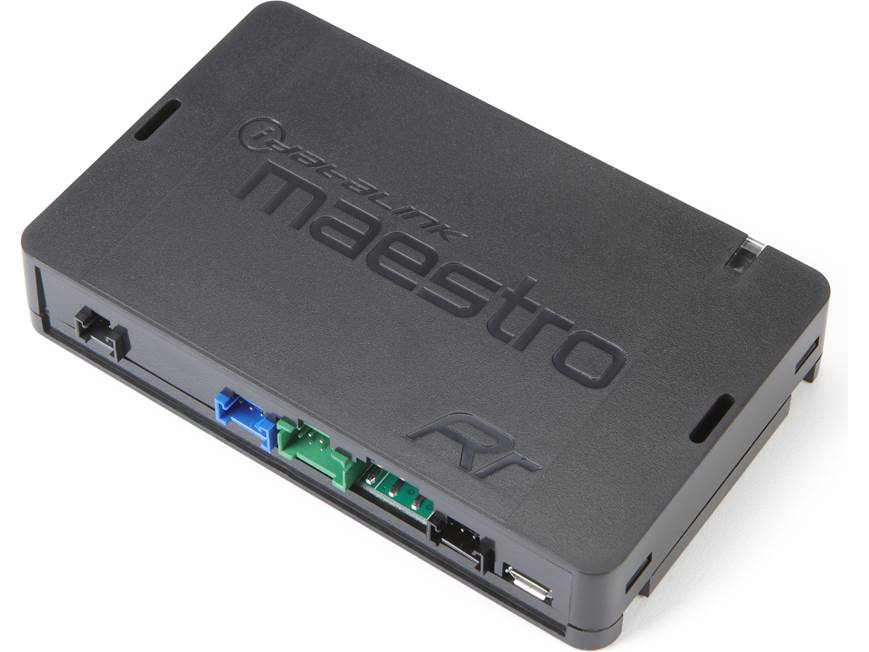
iDatalink Maestro RR Universal Radio Replacement Interface
The hard part of replacing a modern factory radio is not making the new screen turn on. It is keeping the rest of the vehicle from feeling like something went missing with the old one.
Steering-wheel controls, factory cameras, parking information, climate data, warning tones, vehicle settings and other functions can all be tied into the original radio. Maestro RR sits between the vehicle and a compatible aftermarket radio so those supported functions can stay connected instead of disappearing during the upgrade.
That is why RR makes sense when the customer wants a better radio but still wants the vehicle to behave like the vehicle. Paired with the correct Maestro T-harness and flashed for the exact vehicle/radio combination, RR translates the factory data and hands it to the new radio while the harness handles the vehicle-specific wiring.
More Than Steering-Wheel Controls
With a fully iDatalink-compatible radio, supported RR installations can add dedicated screens for gauges, vehicle information, parking assistance, climate controls and compatible radar-detector information. The exact screens and retained functions depend on the vehicle and radio, but that deeper integration is the reason we use Maestro instead of treating every radio replacement like a basic power/ground/speaker-wire install.
Certain non-iDatalink-compatible radios can still use RR for basic retention functions, but they do not automatically get the same Maestro screen depth. The radio choice matters just as much as the module.
RR or RR2?
If the vehicle, harness and radio are fully supported by RR and RR retains everything the build needs, RR is still the correct solution. RR2 is the step up when the application requires the newer module, needs its additional vehicle coverage or benefits from RR2-specific programming features.
We do not replace RR with RR2 just because RR2 is newer. The fit guide decides the module. That keeps the system from getting more complicated or expensive without a reason.
The Rest of the Install Still Has to Match
RR is flashed for the exact vehicle and aftermarket radio, then connected through the proper Maestro radio-replacement T-harness. Depending on the vehicle, the complete install can still require a dash kit, antenna adapter, USB or camera retention pieces, chime speaker, amplifier integration or other vehicle-specific hardware.
We check all of that together before ordering because the RR module by itself does not determine fitment. The year, model, trim, factory radio, audio package, harness and new radio all matter.
Manufacturer Specifications
- Model: ADS-MRR
- Product type: iDatalink Maestro RR universal radio replacement interface
- Primary use: Supported aftermarket-radio replacement with retention of compatible factory infotainment and vehicle functions
- iDatalink-compatible radio features: Supported Gauges, Vehicle Info, Parking Assistance, Climate Control and Radar Detection screens vary by application
- Factory-function retention: Supported steering-wheel controls and other vehicle-dependent features
- Non-iDatalink-compatible radios: Basic retention features supported in certain applications
- Programming: Vehicle- and radio-specific programming required before installation
- Vehicle connection: Requires the correct Maestro radio-replacement harness
Required Separately
- Compatible aftermarket radio
- Vehicle-specific Maestro radio-replacement T-harness
- Dash kit and vehicle-specific installation accessories where required
Manufacturer: iDatalink Maestro
Where this fits in the build
The source unit has to fit more than the dash opening. Steering-wheel controls, factory cameras, amplified audio, chimes, USB, vehicle settings and data integration can change the correct installation path.