
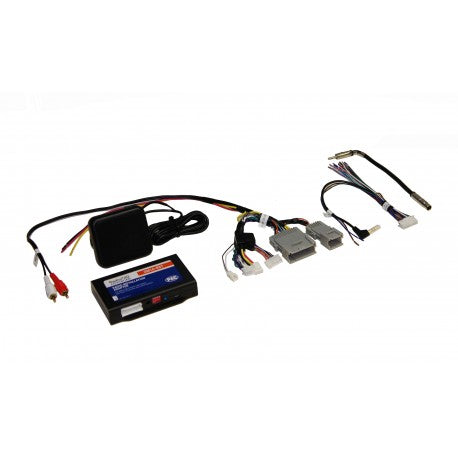

Description
PAC GM1A-RST RadioPRO Advanced
GM1A-RST is the GM radio-replacement path for supported vehicles where chimes, steering-wheel controls, the factory amplifier and OnStar all need to stay in the system after the factory radio is removed.
That OnStar retention is the important distinction from GM1A-RS. The two should not be treated as price-step variants; the vehicle’s factory equipment decides which architecture belongs in the quote.
Where It Fits
Use GM1A-RST only when the exact vehicle, factory radio and audio architecture support this interface. Bose/non-Bose audio, OnStar, connector/data-bus generation and required antenna/camera/USB adapters can change the required path.
Manufacturer Specifications
- Manufacturer: PAC
- Model: GM1A-RST
- Product family: RadioPRO Advanced
- Type: GM radio replacement interface
- Retained functions: Chimes, supported factory amplifier, steering-wheel controls and OnStar
- Vehicle coverage: Select General Motors applications; exact OEM radio/audio/network configuration must be compatible
Important: this is not interchangeable with GM1A-RS, GM3A-RSTX or GM6A-RST. Exact OEM radio/audio/network configuration determines the correct interface.
Where this fits in the build
The source unit has to fit more than the dash opening. Steering-wheel controls, factory cameras, amplified audio, chimes, USB, vehicle settings and data integration can change the correct installation path.